
Service operations, connected
One platform. Built around the way you work.
Bring your service operations together with a ready-built foundation that adapts to your workflows, teams, and organizational needs—without starting from scratch.
Why teams lose visibility
Scattered systems make every request harder to manage.
Requests live in one place. Customer and location details live somewhere else. Updates move through messages and spreadsheets. Teams spend more time searching, confirming ownership, and rebuilding the full picture.
Missing information
Teams lose time when customer, location, and asset details sit apart from the request.
Unclear ownership
Requests stall when responsibility, status, and the next step are spread across tools.
Fragmented visibility
Leaders should not have to assemble updates manually to understand volume, priorities, and progress.
Ready-built, then configured
Your Operations Are Unique.
Your Platform Should Adapt.
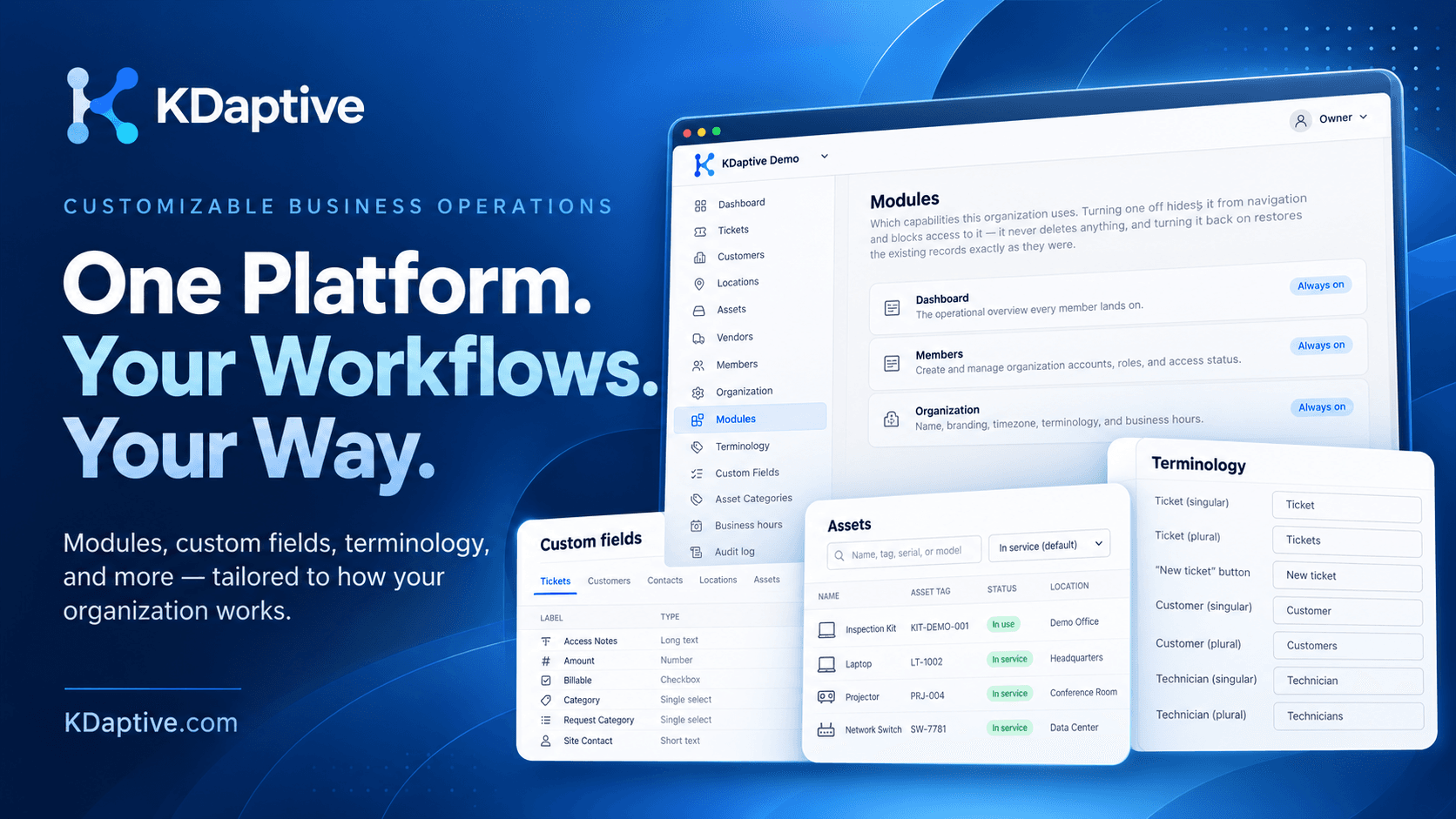
KDaptive starts with a ready-built foundation for managing service operations. From there, supported fields, terminology, service targets, roles, permissions, and modules can be configured around your organization.
Keep what works. Customize what matters.
Start here
Ready-built foundation
- Service requests
- Connected operational records
- Assignments and ownership
- Tracking and reporting
Shape the fit
Configured for your operations
- Custom fields and terminology
- Business hours and service targets
- Roles and permissions
- Relevant platform modules
As your needs evolve, supported configuration can be revisited without rebuilding the platform from the ground up.
See KDaptive in action
What KDaptive brings together
One request, with the records behind it.
KDaptive keeps each request alongside the customer, contact, location, asset, owner, and status your team needs to act.
Teams spend less time reconstructing what happened and more time resolving the request.
Request management
Capture incoming requests, set priority and ownership, and keep status visible through resolution.
Linked operational records
Keep customers, contacts, locations, and assets attached to the requests they help explain.
Service oversight
Review ownership, service targets, logged time, request history, and dashboard measures from the same records.
Service operations across organizations
One operational foundation, adapted to different teams.
These examples show how the same request, record, ownership, and reporting foundation can support different service operations. Supported configuration shapes the fit for each organization.
Service Providers & MSPs
Manage customer requests, technicians, assets, service targets, and delivery in one connected workflow.
Internal IT & Service Desk
Organize support requests, assignments, priorities, response tracking, and resolution across internal teams.
Facilities & Field Operations
Coordinate maintenance requests, equipment issues, locations, and field service responsibilities.
Multi-location Organizations
Bring service requests, assets, and operational visibility together across offices, branches, and facilities.
Schools & Educational Institutions
Coordinate technology and facilities requests across school locations with supported fields and terminology.
Churches & Parishes
Free community technology support for parish websites, registration, Faith Formation administration, and practical workflows.
Community commitment · No cost
Learn about free church support
From fit to rollout
A practical path from demo to deployment.
Implementation starts with representative requests and a ready-built service operations foundation. We identify the supported capabilities and configuration that fit, validate them with your team, and prepare the agreed setup for launch.
Discover
Review representative requests, users, records, service targets, and constraints.
Scope & Configure
Select the relevant modules and supported settings for your organization's workflow.
Review & Approve
Validate the configured workflow, then separately scope and approve any tailored implementation work that is needed.
Launch & Adapt
Prepare users, launch the agreed setup, and revisit supported configuration as operations evolve.
Trust and controls
Built for clear ownership and accountable access.
As the implementation takes shape, the same foundation defines who can act, keeps organization data scoped correctly, and preserves history for supported changes.
Roles and permissions
Give owners, administrators, managers, technicians, and customers access appropriate to their responsibilities.
Traceable changes
Defined administrative events and supported request changes retain the actor and time.
Organization boundaries
Tenant-scoped authorization and data access keep each organization's records and settings within its active organization.
Community
Supporting churches and parish communities.
Alongside our work on KDaptive, we support practical technology needs for churches and parish communities.
Churches and parishes are always welcome at KDaptive. We provide our support and services to churches at no cost.
Whether a parish needs help with website setup and technical support, registration workflow, document management, Faith Formation administration, class management, or another practical solution, we are happy to explore how KDaptive can help.
This is a separate community commitment, offered to churches and parishes at no cost.
Practical support for parishes
Faith Formation is one example—not a requirement. We can help with the practical workflow a church actually needs.
- Parish website support
- Faith Formation registration
- Student and family records
- Class and attendance management
- Documents and certificates
- Teacher and catechist workflows
Businesses & organizations
See how KDaptive could bring requests, records, ownership, and reporting into one service process.
Book a DemoChurches & parishes
Tell us what would make your parish's work simpler. KDaptive support and services are free for churches.
Get Free Church Support
Explore a service operations platform shaped around your team.
Bring a representative request flow to the conversation. We'll show how the ready-built platform supports it, what can be configured, and where your requirements may need a closer look.